Computers are an essential part of everyday life, used for work, entertainment, communication, and much more. Over time, however, even the fastest and most advanced machines begin to show signs of slowing down. Many people assume that when their computer starts lagging or struggling with tasks, it’s time to buy a new one. However, upgrading specific components can breathe new life into an existing system, enhancing its speed and performance without the need for a costly replacement.
At Click IT, we specialize in helping customers optimize their computers through targeted, cost-effective upgrades. Whether your goal is to speed up everyday tasks, improve gaming performance, or ensure smooth multitasking, we can assess your current hardware and recommend upgrades that will provide the most noticeable improvements.
Why Upgrade Your Computer?
When you first purchased your computer, it may have been one of the best models available. However, technology advances rapidly, and within just a few months, newer, faster, and more efficient components enter the market. Instead of replacing your entire system, upgrading key hardware components can extend its lifespan and keep it competitive with newer machines.
Upgrading a computer allows you to:
Improve overall speed and performance
Enhance multitasking capabilities
Increase storage capacity for files and applications
Boost graphics performance for gaming and media creation
Ensure compatibility with the latest software and operating systems
Processor (CPU)
The CPU, or central processing unit, is the "brain" of your computer. It handles all the calculations required for running applications, from basic word processing to complex video editing and gaming.
Upgrading your CPU can:
Improve overall speed and performance
Enhance multitasking capabilities
Increase storage capacity for files and applications
Boost graphics performance for gaming and media creation
Ensure compatibility with the latest software and operating systems
Graphics Card (GPU)
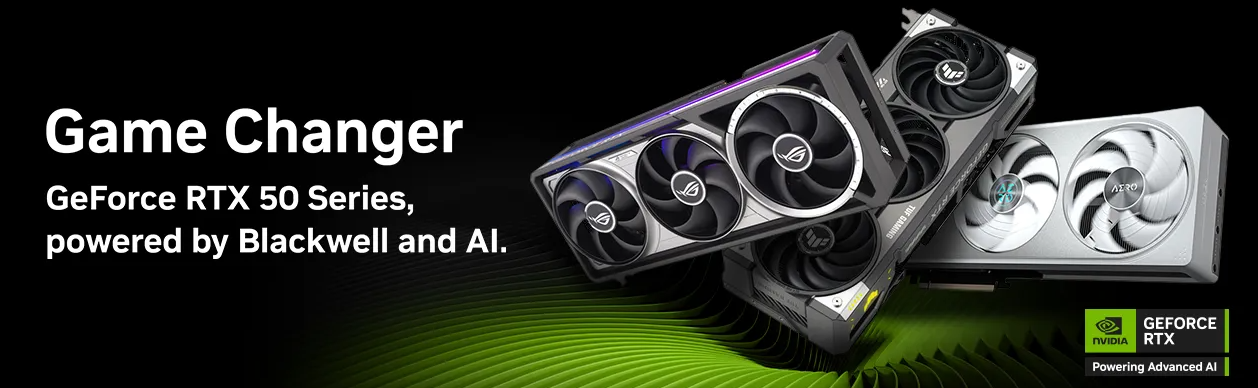
If you use your computer for gaming, video editing, 3D modeling, or any graphics-intensive tasks, upgrading your GPU can make a world of difference. Integrated graphics on many systems struggle to handle modern software and games, leading to lag and low-quality visuals.
A more powerful graphics card allows for:
Smoother gameplay at higher resolutions and frame rates
Faster rendering times for creative applications
Improved performance in VR applications
Solid State Drive (SSD)
An SSD is one of the best upgrades for any computer, offering dramatically improved performance over traditional hard drives. Unlike mechanical hard drives, SSDs store data on memory chips, allowing for near-instant data access and significantly reduced loading times.
Benefits of upgrading to an SSD include:
Faster boot times (often under 15 seconds)
Quick application launching and file transfers
Enhanced system responsiveness
Greater durability due to the lack of moving parts
RAM (Random Access Memory)
RAM serves as your computer’s short-term memory, temporarily storing data for active tasks.
The more RAM a system has, the more efficiently it can handle multiple programs at once. Insufficient RAM often leads to sluggish performance, especially when running memory-intensive applications like web browsers with multiple tabs, video editing software, or games.
Upgrading RAM can result in:
Faster application loading times
Improved multitasking without system slowdowns
Reduced reliance on virtual memory, which is significantly slower
Power Supply Unit (PSU)
The power supply unit is responsible for delivering the necessary power to all components of your computer. Many manufacturers install basic PSUs that provide just enough power for the original system, which can become an issue when upgrading components like graphics cards, additional storage, or cooling systems.
Upgrading to a higher-wattage PSU ensures:
Stable power delivery for upgraded components
Reduced risk of crashes or system failures due to power shortages
Future-proofing your system for additional upgrades
Cooling Systems
Computers generate heat during operation, and excessive heat can degrade performance and even damage components. Overheating often causes slowdowns, unexpected shutdowns, and long-term reliability issues.
Upgrades may include installing additional case fans, upgrading to a more efficient CPU cooler, or even implementing liquid cooling solutions for high-performance systems.
Enhancing your cooling system can:
Prevent thermal throttling, allowing components to run at full speed
Extend the lifespan of your CPU and GPU
Maintain optimal performance under heavy loads
Need help with an upgrade?
If your computer is slowing down, struggling with demanding applications, or simply feeling outdated, an upgrade could be the perfect solution. By improving key components, we can help extend your PC’s lifespan and keep it running smoothly for years to come.